
## Iconos
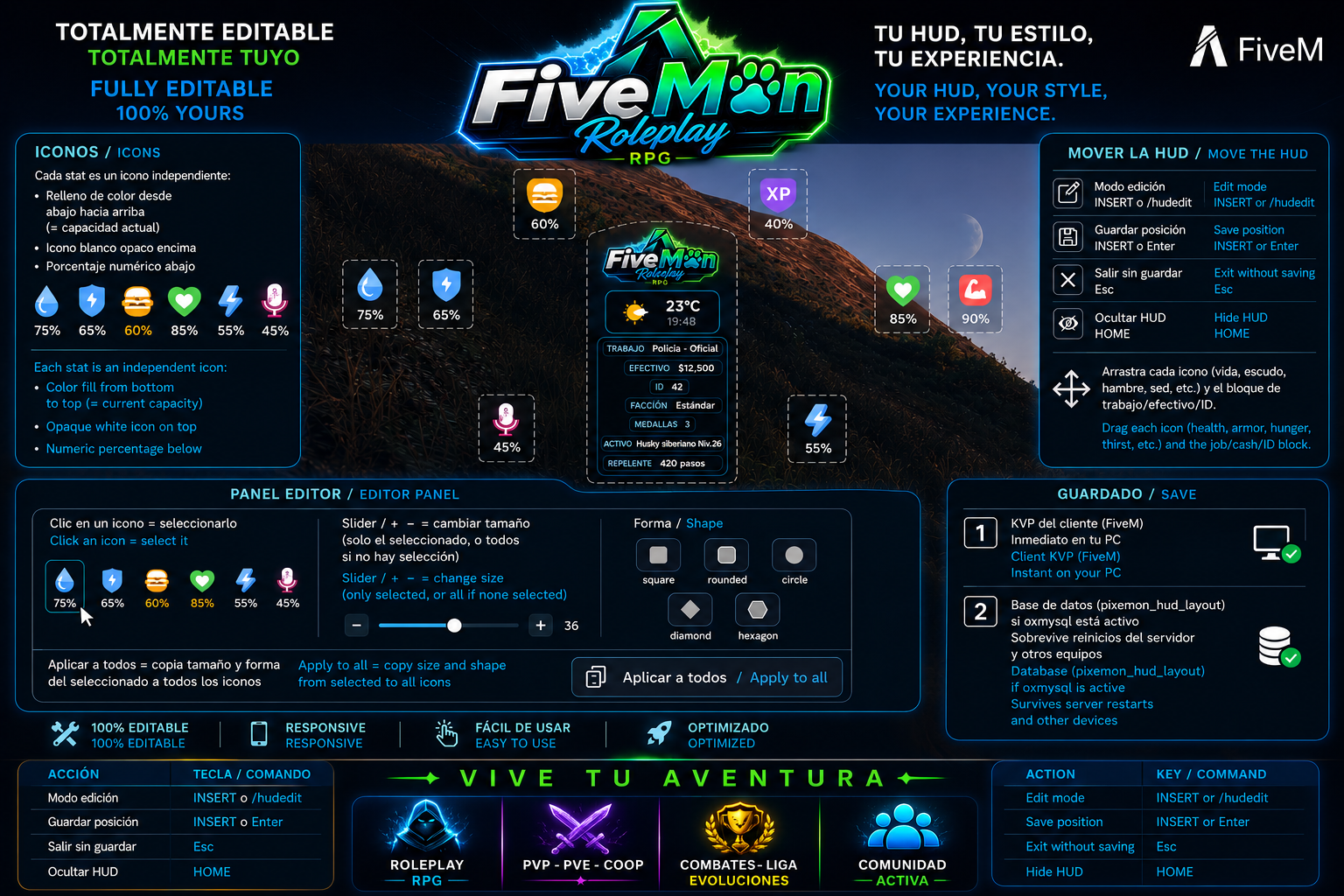
Cada stat es un icono independiente:
- Relleno de color **desde abajo hacia arriba** (= capacidad actual)
- Icono blanco opaco encima
- Porcentaje numérico abajo
## Mover la HUD
| Acción | Tecla / comando |
|--------|------------------|
| Modo edición | **INSERT** o `/hudedit` |
| Guardar posición | **INSERT** o **Enter** |
| Salir sin guardar | **Esc** |
| Ocultar HUD | **HOME** |
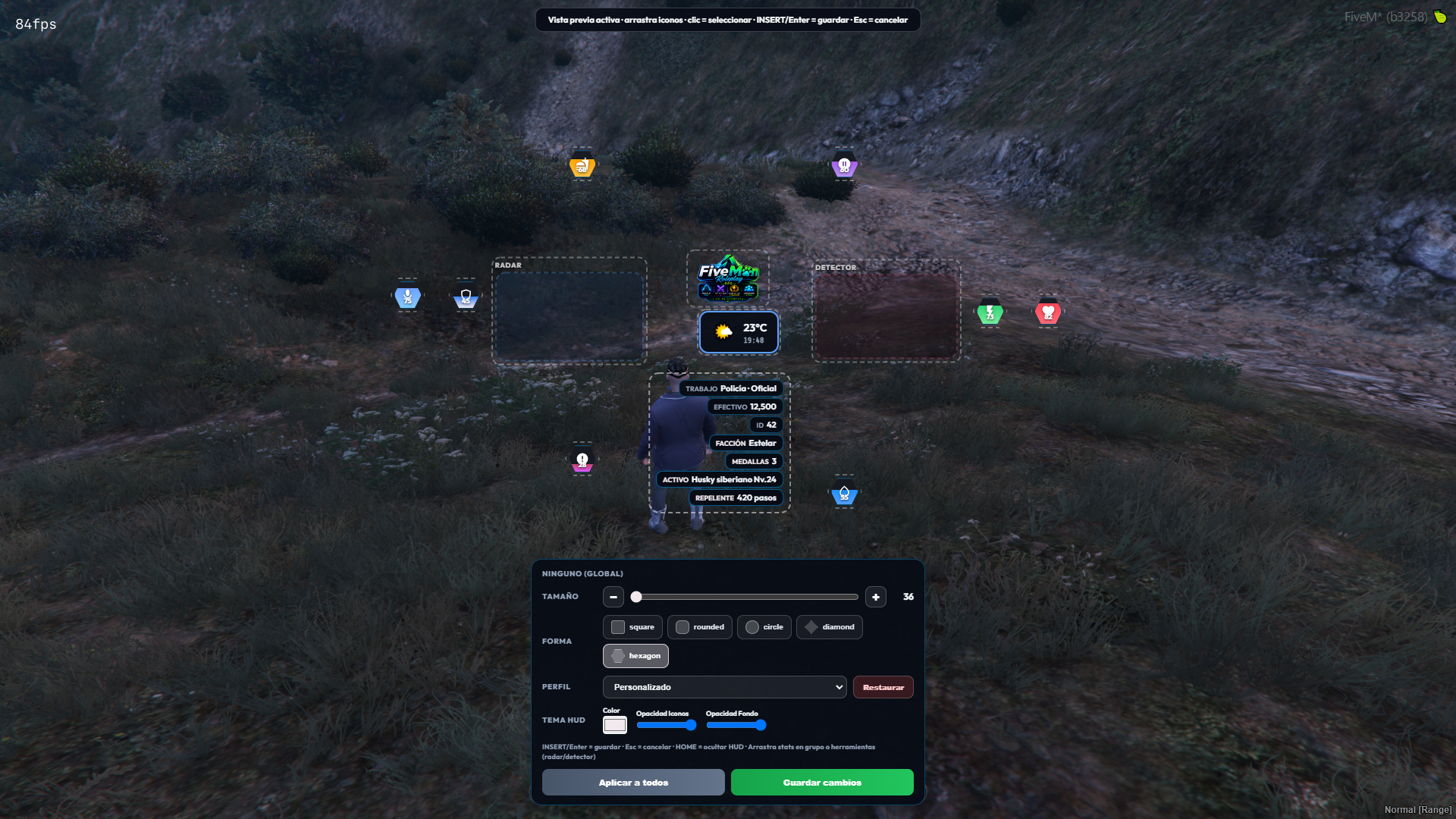
Arrastra cada icono (vida, escudo, hambre, sed, etc.) y el bloque de trabajo/efectivo/ID.
En el **panel inferior** del editor:
- **Clic** en un icono = seleccionarlo
- **Slider / + −** = cambiar tamaño (solo el seleccionado, o todos si no hay selección)
- **Forma** = cuadrado, redondeado, círculo, diamante o hexágono
- **Aplicar a todos** = copia tamaño y forma del seleccionado a todos los iconos
## Guardado
1. **KVP del cliente** (FiveM) — inmediato en tu PC
2. **Base de datos** (`pixemon_hud_layout`) si `oxmysql` está activo — sobrevive reinicios del servidor y otros equipos
## Icons
Each stat is a separate icon:
- Color fill **from bottom to top** (= current capacity)
- Opaque white icon on top
- Numerical percentage below
## Move the HUD
| Action | Key / Command |
|--------|------------------|
| Edit Mode | **INSERT** or `/hudedit` |
| Save Position | **INSERT** or **Enter** |
| Exit Without Saving | **Esc** |
| Hide HUD | **HOME** |
Drag each icon (health, shield, hunger, thirst, etc.) and the work/effective/ID block.
In the **bottom panel** of the editor:
- **Click** on an icon = select it
- **Slider / + −** = resize (only the selected icon, or all if no selection is made)
- **Shape** = square, rounded, circle, diamond, or hexagon
- **Apply to all** = copies the size and shape of the selected icon to all icons
## Saved
1. **Client KVP** (FiveM) — immediate on your PC
2. **Database** (`pixemon_hud_layout`) if `oxmysql` is active — survives server restarts and other systems